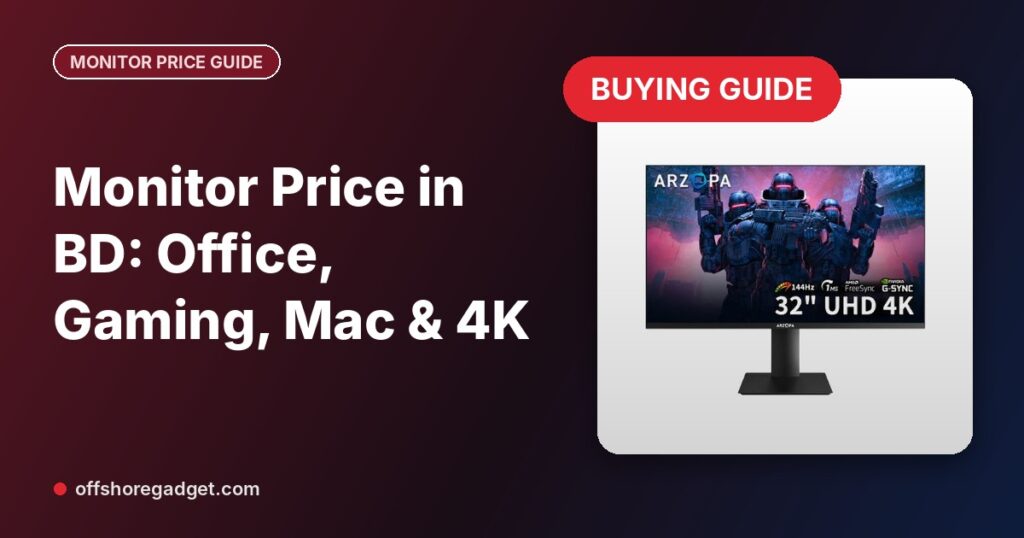
Monitor price in BD depends on the job you need it for: a 27-inch 2K monitor like the Arzopa M1RC is the best value for office and gaming at ৳21,500, a 32-inch 4K screen like the Arzopa M3RC costs ৳62,000, and Mac users who want a true 5K Retina screen pay ৳265,000 for the Apple Studio Display. If you work on a laptop and move around, a portable monitor starts at ৳11,690.
Updated: November 2026
- Who it is for: office workers, students, PC and PS5 gamers, MacBook users and photo or video editors in Bangladesh.
- Price: portable monitors from ৳11,690, 27-inch 2K desktop from ৳21,500, 32-inch 4K at ৳62,000, Apple Studio Display XDR is price on request / pre-order quote.
- Payment: pay in Taka by bKash, Nagad, card, bank transfer or EMI.
- Delivery: in-stock monitors ship from Dhaka right away; pre-order models take 12 to 24 working days.
- Warranty: 2 years on Arzopa monitors, 1 year on Apple and CFORCE (as listed on each product page).
- Verdict: 27-inch 2K for most people, 32-inch 4K for PS5 and editing, Studio Display for Mac, portable for laptops.
Contents
- How much is a monitor in Bangladesh in 2026?
- Which monitor is best for office work?
- Which monitor is best for gaming in Bangladesh?
- Which monitor is best for a Mac or MacBook?
- Is a 4K monitor worth it?
- Desktop monitor or portable monitor: which should you buy?
- What to check before you buy a monitor
- How to buy a monitor from Offshore Gadget
How much is a monitor in Bangladesh in 2026?
A good monitor in Bangladesh costs anywhere from a budget 14-inch portable screen to a 5K Apple display that costs more than most laptops. The size, resolution and refresh rate decide most of the price, and the brand decides the rest.
The table below lists the monitors Offshore Gadget sells, grouped by use, with live prices that update from the product page.
| Monitor | Size and resolution | Refresh rate | Best for | Price at Offshore Gadget |
|---|---|---|---|---|
| Arzopa M1RC | 27″ 2K QHD (2560×1440) IPS | 180Hz | Office, PC gaming | ৳21,500 |
| Arzopa M3RC | 32″ 4K UHD (3840×2160) IPS | 144Hz | PS5, Xbox, 4K editing | ৳62,000 |
| Apple Studio Display (nano-texture) | 27″ 5K Retina (5120×2880) | 60Hz | Mac users, designers | ৳265,000 |
| Apple Studio Display XDR | 27″ 5K Retina XDR, mini-LED | 120Hz | HDR video, colour grading | Price on request / pre-order quote |
| Arzopa Z7RC | 15.6″ 4K+ (3840×2400), 94.8% DCI-P3 | 60Hz | Portable 4K for creators | ৳36,500 |
| CFORCE 16″ 4K QLED | 16″ 4K UHD, 900 nits | 60Hz | Bright rooms, travel | ৳40,000 |
| Arzopa Z3FC | 16.1″ 2.5K QHD IPS | 180Hz | Portable gaming | ৳33,500 |
| UPERFECT 14″ | 14″ 1920×1200 IPS, 16:10 | See product page | Students, office laptop | ৳15,000 |
| Arzopa A1 Gamut Slim | 14″ Full HD IPS | See product page | Budget second screen | ৳11,690 |
Prices move with the dollar rate and import cost, so the live price on each product page is always the final word.
Which monitor is best for office work?
For office work, a 27-inch 2K monitor is the sweet spot because you can keep two documents or an Excel sheet and email side by side without zooming. The Arzopa M1RC gives you 2560×1440 on a 27-inch IPS panel with ultra-narrow bezels, which also makes it easy to put two of them side by side later.
A 1080p screen at 27 inches looks soft for text, so 2K is worth the small step up if you read and type all day.
If you work from a laptop and change desks, a portable monitor is often the smarter buy. The UPERFECT 14-inch has a 16:10 1920×1200 screen, USB-C and mini-HDMI, and a VESA mount, so it works on the desk and in a bag. For a full three-screen laptop setup, see the UPERFECT triple laptop screen extender.
Which monitor is best for gaming in Bangladesh?
For PC gaming, buy a 27-inch 2K monitor at 144Hz or higher, and for a PS5 or Xbox Series X, buy a 4K monitor with HDMI 2.1. Those two choices cover almost every gamer.
- PC gamers: the Arzopa M1RC runs at 180Hz with a 1ms response time and AMD FreeSync, so fast shooters like Valorant and CS2 look smooth without tearing.
- Console gamers: the Arzopa M3RC is 32-inch 4K at 144Hz with two HDMI 2.1 ports and DisplayPort 1.4, so a PS5 and a PC can stay plugged in together. It also has a tilt, pivot and swivel stand.
- Gaming on the go: the Arzopa Z3FC is a 16.1-inch 2.5K portable screen at 180Hz with FreeSync and mini-HDMI, handy for a gaming laptop or a console in a hostel room.
If you are still choosing a console, read our PlayStation 5 price in Bangladesh guide before picking the screen.
Which monitor is best for a Mac or MacBook?
The best monitor for a Mac is the Apple Studio Display, because its 27-inch 5K Retina screen at 218 ppi gives the same sharp text you see on a MacBook screen. It connects with one Thunderbolt cable that also charges your MacBook, and it has a 12MP Center Stage camera and six speakers built in.
The nano-texture version we sell cuts glare, which helps in bright Dhaka offices with big windows. For HDR video and colour grading, the Studio Display XDR adds a mini-LED backlight with 2304 dimming zones, up to 2000 nits peak HDR brightness and a 120Hz refresh rate. It is price on request / pre-order quote.
On a smaller budget, a 4K screen like the Arzopa M3RC works well with a Mac, and a USB-C portable monitor plugs into a MacBook with one cable. Our portable monitor for MacBook setup guide walks through the setup and the best picks. Official specs are on Apple’s Studio Display page.
Is a 4K monitor worth it?
A 4K monitor is worth it if you edit photos or video, play on a PS5, or sit close to a 32-inch screen. For basic office work on a 24 to 27-inch screen, 2K is enough and costs less.
Offshore Gadget has three types of 4K screen:
- Choose the desk size: the 32-inch Arzopa M3RC gives 4K at 139 ppi with HDR400 and 82% DCI-P3 colour.
- Choose the portable size: the Arzopa Z5RC 17.3-inch 4K is the biggest portable 4K screen we sell, while the Arzopa Z7RC packs 3840×2400 into 15.6 inches with 94.8% DCI-P3 colour.
- Check the brightness: the CFORCE 16-inch 4K QLED reaches 900 nits with 100% DCI-P3, which is the pick if you work near windows or outdoors.
Desktop monitor or portable monitor: which should you buy?
Buy a desktop monitor if you work at one desk every day, and a portable monitor if you carry a laptop between home, office and university. Desktop monitors give a bigger screen per Taka, while portable monitors run from one USB-C cable and fold into a bag.
Many buyers in Bangladesh use both: a 27-inch monitor at home and a 14 to 16-inch portable one for travel. Our portable monitor vs desktop monitor comparison and the best portable monitor in Bangladesh list go deeper on this choice. You can browse every model in our monitor category and the regular desktop monitor category.
What to check before you buy a monitor
Check five things before you pay: size, resolution, refresh rate, ports and warranty. Getting these right matters more than the brand name.
- Match size to resolution: 24-inch works at Full HD, 27-inch needs 2K, and 32-inch needs 4K for sharp text.
- Pick the refresh rate: 60Hz is fine for office and editing, 144Hz or more is better for gaming.
- Check the ports: HDMI 2.1 for PS5 and Xbox, USB-C with DisplayPort Alt Mode for one-cable laptop use.
- Look at the colour: for design and photo work, look for a high DCI-P3 or sRGB number on the spec sheet.
- Confirm the warranty: Arzopa models carry a 2-year warranty and Apple and CFORCE a 1-year warranty at Offshore Gadget. Brand specs are on Arzopa’s official site.
How to buy a monitor from Offshore Gadget
You can buy an in-stock monitor from Offshore Gadget today and pay in Taka, or pre-order any model we do not have in stock. Every monitor is brand-new and original.
- Pick the monitor on its product page and check the live price and stock.
- Pay in Taka by bKash, Nagad, card, bank transfer or EMI.
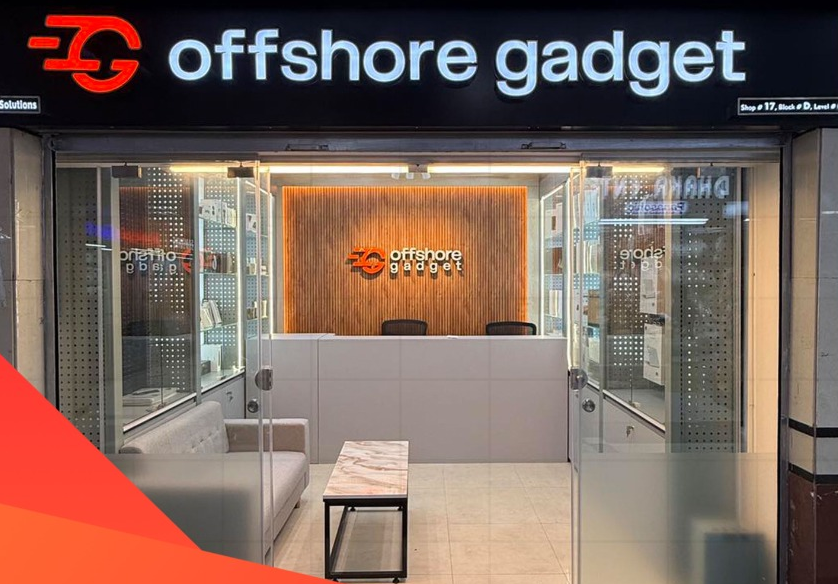
- Get it delivered anywhere in Bangladesh, or visit our Bashundhara City showroom in Dhaka.
- Pre-order anything else: for a monitor we do not list, send the link on our pre-order page and we reply with one final Taka price that includes shipping and customs. Pre-orders take 12 to 24 working days with a 50% advance.
Frequently Asked Questions
What is a good monitor price in BD for office use?
For office use, a 27-inch 2K monitor like the Arzopa M1RC at ৳21,500 gives the best value, because you can work with two windows side by side. If you mostly use a laptop, a 14-inch portable monitor such as the Arzopa A1 Gamut Slim at ৳11,690 is a cheaper second screen.
Which is the best gaming monitor in Bangladesh for PS5?
For a PS5, the Arzopa M3RC is the best pick at Offshore Gadget. It is a 32-inch 4K IPS monitor at 144Hz with two HDMI 2.1 ports, so it supports the PS5 at high refresh rates and lets you keep a PC connected too. It also has HDR400 and a 2-year warranty.
Is the Apple Studio Display worth it in Bangladesh?
The Apple Studio Display is worth it if you use a Mac every day and care about sharp text and colour. Its 27-inch 5K Retina screen, single-cable MacBook charging, 12MP camera and six speakers replace several desk accessories. If you do not use a Mac, a 4K monitor gives better value.
Is 2K or 4K better for a 27-inch monitor?
For most people, 2K is the right choice at 27 inches. It looks sharp for office work, runs at high refresh rates for gaming and costs much less than 4K. Choose 4K when you edit photos or video, play on a PS5, or buy a bigger 32-inch screen.
Can I buy a monitor brand that Offshore Gadget does not list?
Yes. Send the product link from Amazon, AliExpress or the brand site through our pre-order page and we reply with one final price in Taka, including shipping and customs. Pre-orders take 12 to 24 working days with a 50% advance, and you pay the rest on delivery.
বাংলাদেশে মনিটরের দাম কত?
বাংলাদেশে মনিটরের দাম নির্ভর করে সাইজ, রেজোলিউশন আর রিফ্রেশ রেটের উপর। Offshore Gadget-এ পোর্টেবল মনিটর শুরু ৳11,690 থেকে, 27 ইঞ্চি 2K Arzopa M1RC এর দাম ৳21,500 এবং 32 ইঞ্চি 4K Arzopa M3RC এর দাম ৳62,000। ডলারের রেট বদলালে দাম বদলাতে পারে, তাই প্রোডাক্ট পেজ দেখে নিন।
অফিসের জন্য কোন মনিটর কিনব?
অফিসের কাজের জন্য 27 ইঞ্চি 2K মনিটর সবচেয়ে ভালো, কারণ একসাথে দুইটা উইন্ডো পাশাপাশি খুলে কাজ করা যায় এবং লেখা পরিষ্কার দেখায়। ল্যাপটপ নিয়ে বিভিন্ন জায়গায় কাজ করলে 14 ইঞ্চি পোর্টেবল মনিটর নিন, যা একটি USB-C ক্যাবলেই চলে এবং ব্যাগে সহজে বহন করা যায়।
Bottom line
For most buyers in Bangladesh, a 27-inch 2K monitor is the best balance of price and quality, a 32-inch 4K screen is the upgrade for PS5 and editing, and the Apple Studio Display is the clear pick for Mac users. Check the live price on the Arzopa M1RC product page, or message us on WhatsApp for a pre-order quote today.